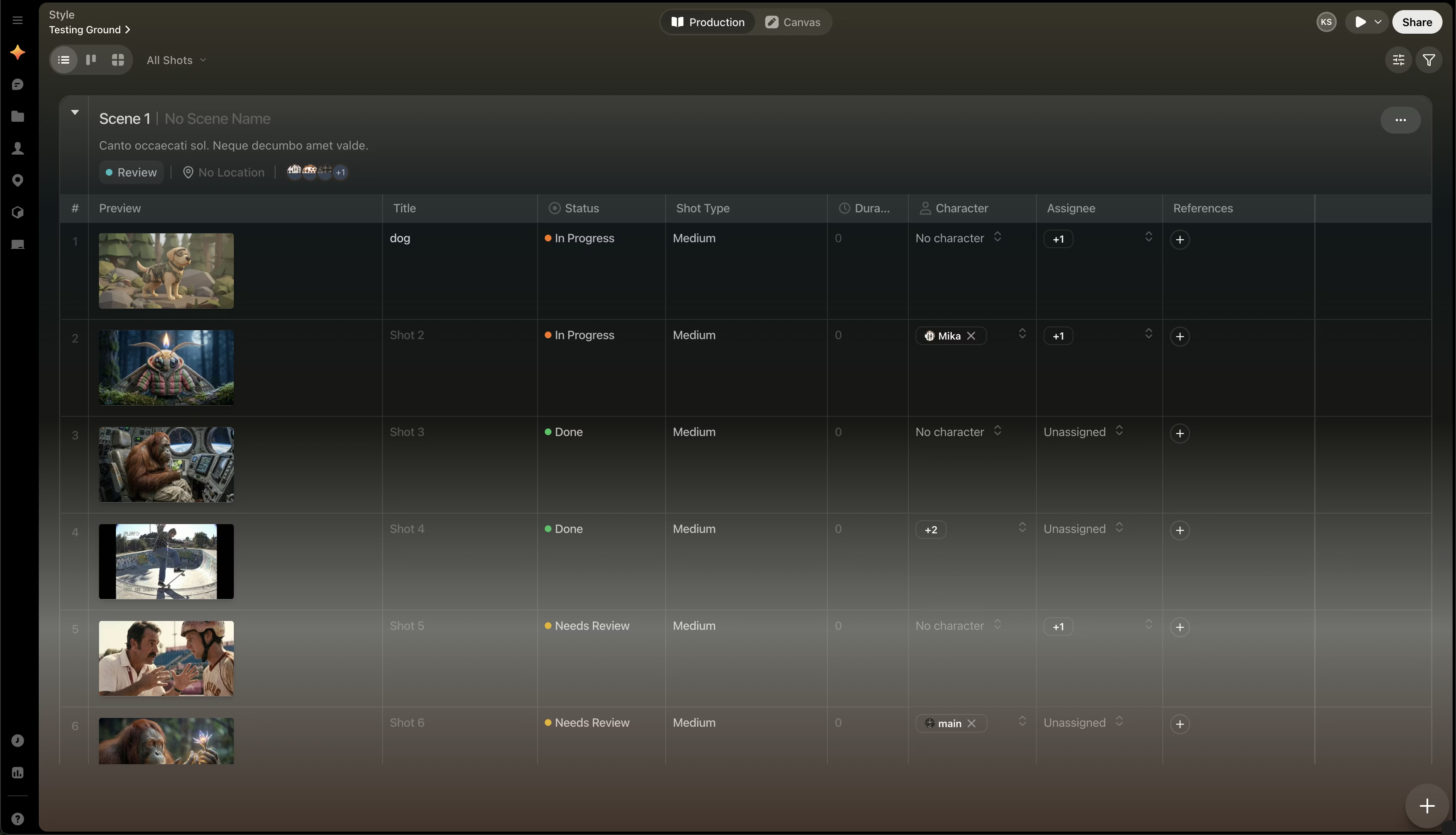
Open production
Select Production near the top of the app to switch from the canvas into the production workspace. From there, you can review shots across scenes and update the information attached to them.
Double click any image in Production to jump to that image on Canvas.
What production is for
Production is where you manage the operational side of your project. Use it when work moves beyond ideation and needs structure, metadata, ownership, or status tracking.
Production includes three main views:
-
Kanban view
-
Storyboard view
Filter what you see
Use filters in any production view to narrow the workspace to the information you need.
 Click this icon in the upper right of the page beside Status to access filters
Filters help you isolate work by combinations such as:
Click this icon in the upper right of the page beside Status to access filters
Filters help you isolate work by combinations such as:
- Scene
- Status
- Assignee
- Location
- Other metadata fields configured in the project
Use filters before editing large projects. It is much easier to assign work, review progress, or find missing information when the view is already narrowed to a specific part of the project.
Choose the right production workflow