

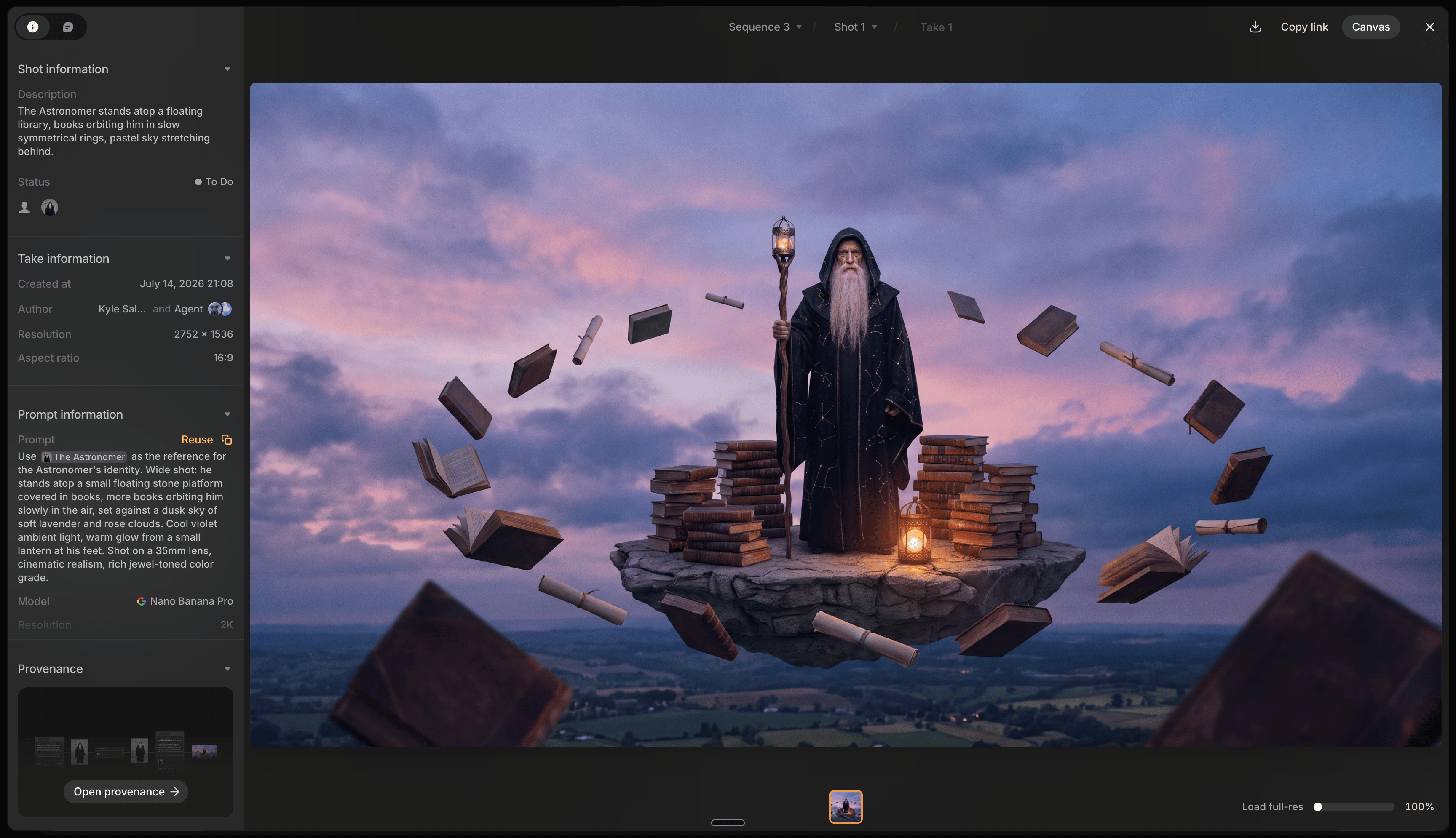
What’s in the panel
Two tabs: Info and Comments.Info
- Shot information: description, dialogue, status, and characters, if any.
- Take information (labeled File information for uploads): creation date, author, resolution, and aspect ratio. Preview Agent generations show as co-authored, with a link back to the chat that made them.
- Source: where a web-imported file came from, if not generated in Preview.
- Prompt information: prompt, model, resolution, Camera Bag settings, references, cost, and seed; only appears for generated files. Right-click any reference thumbnail to Locate on canvas, Copy image, or Download.
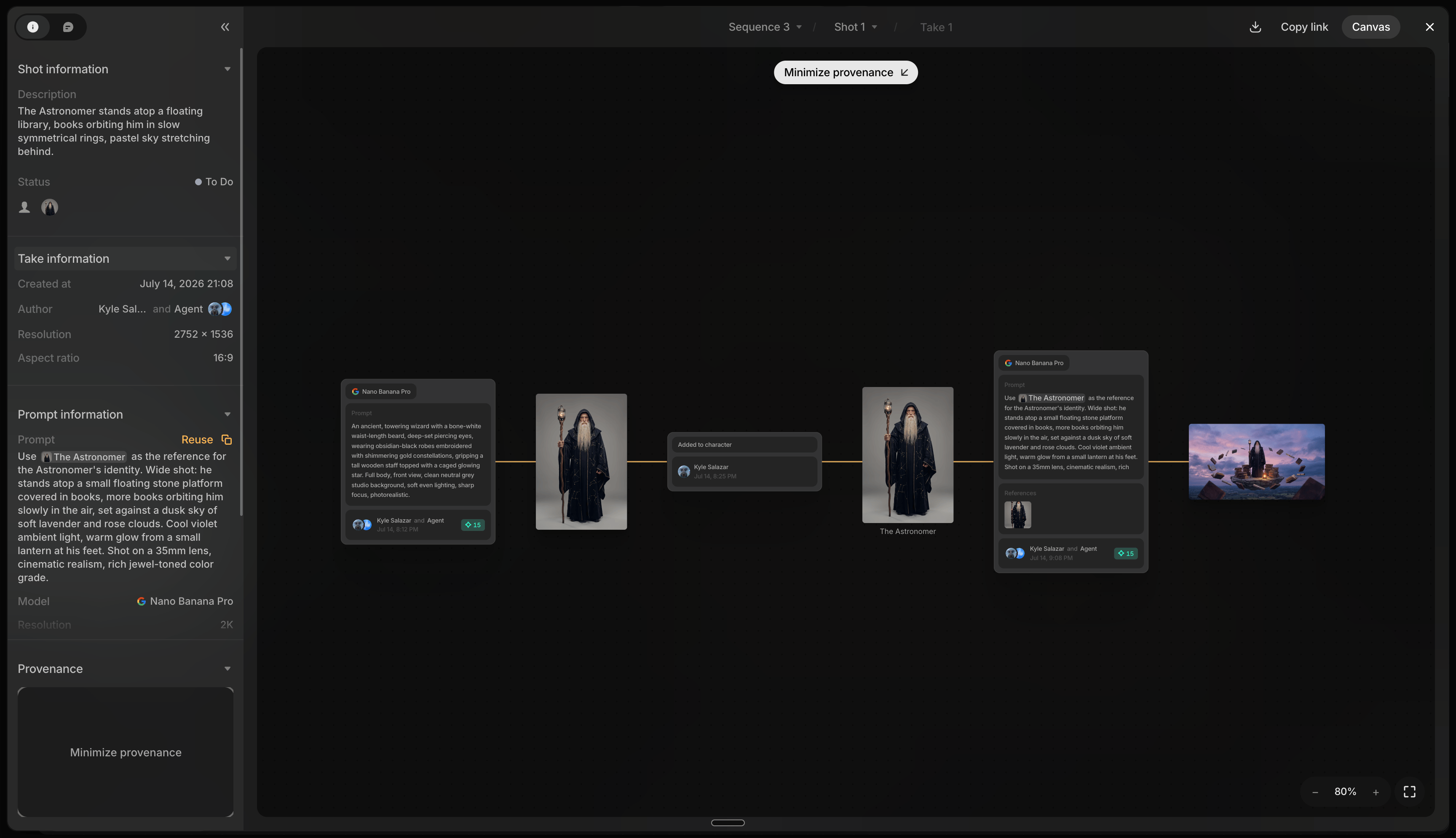
- Provenance: collapsed by default. Expand for the full lineage graph: parent files, model used, and every reference that fed the generation. Click any node to jump to it, even across sequences.
Comments
Switch to the Comments tab and the cursor becomes a pin over the file; click anywhere on it to drop the pin and comment. Same as canvas comments, including replies, reactions, and resolving. Pins here show on the canvas too, and vice versa. Only available for generated files, not references or library images, and only while the Comments tab is active.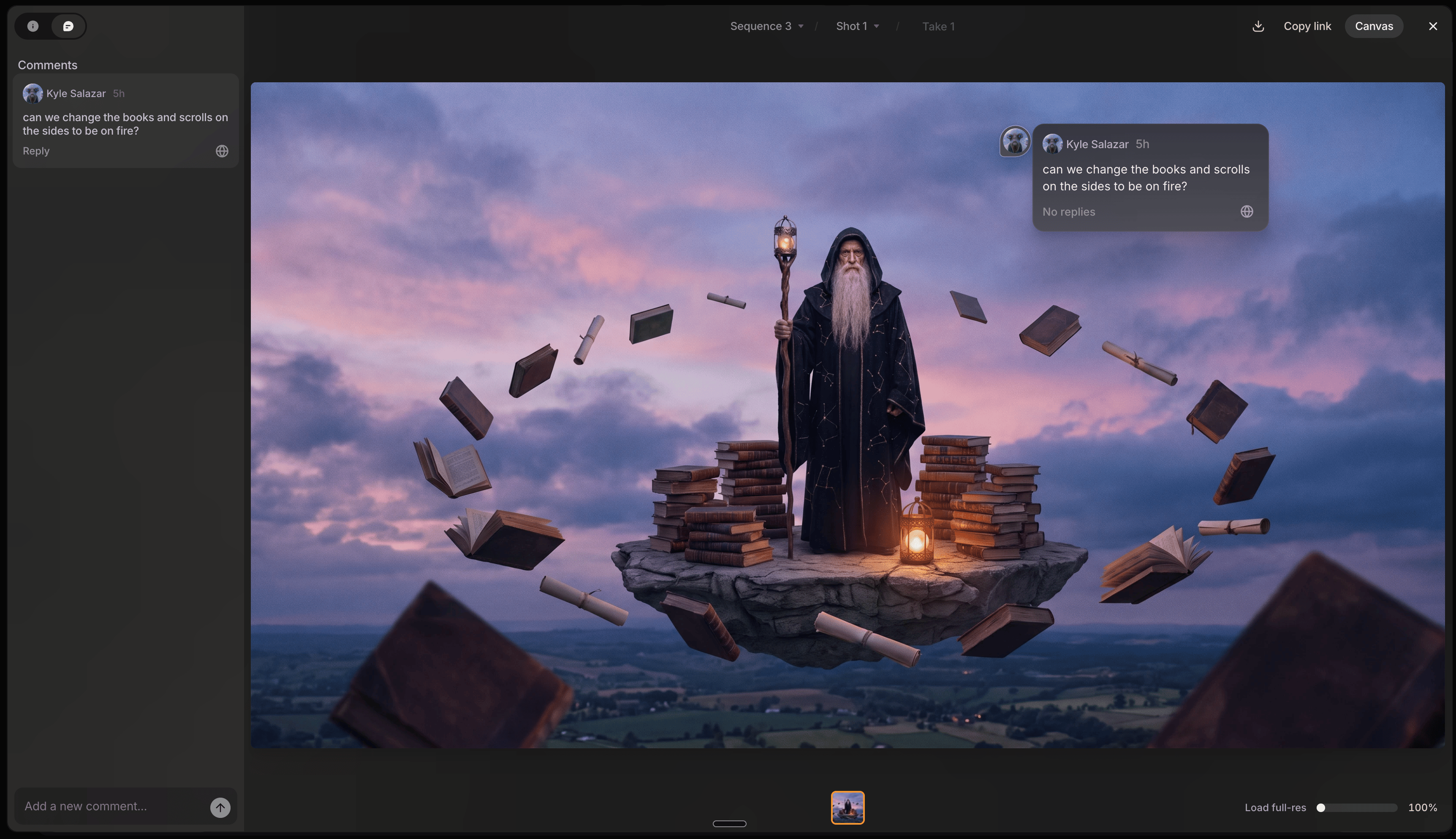
Move between files
For files assigned to a shot (a select in a sequence); standalone generations don’t have sibling versions to step between. The same navigation also works across a shot’s reference files.- Breadcrumbs at the top: jump to a different sequence, shot, or file without closing the view.
- Arrow keys: step between regenerations and alternates of the same shot.
- Thumbnail strip: click any alternate directly.
- Canvas button: jump back to the file’s canvas position and close File view.
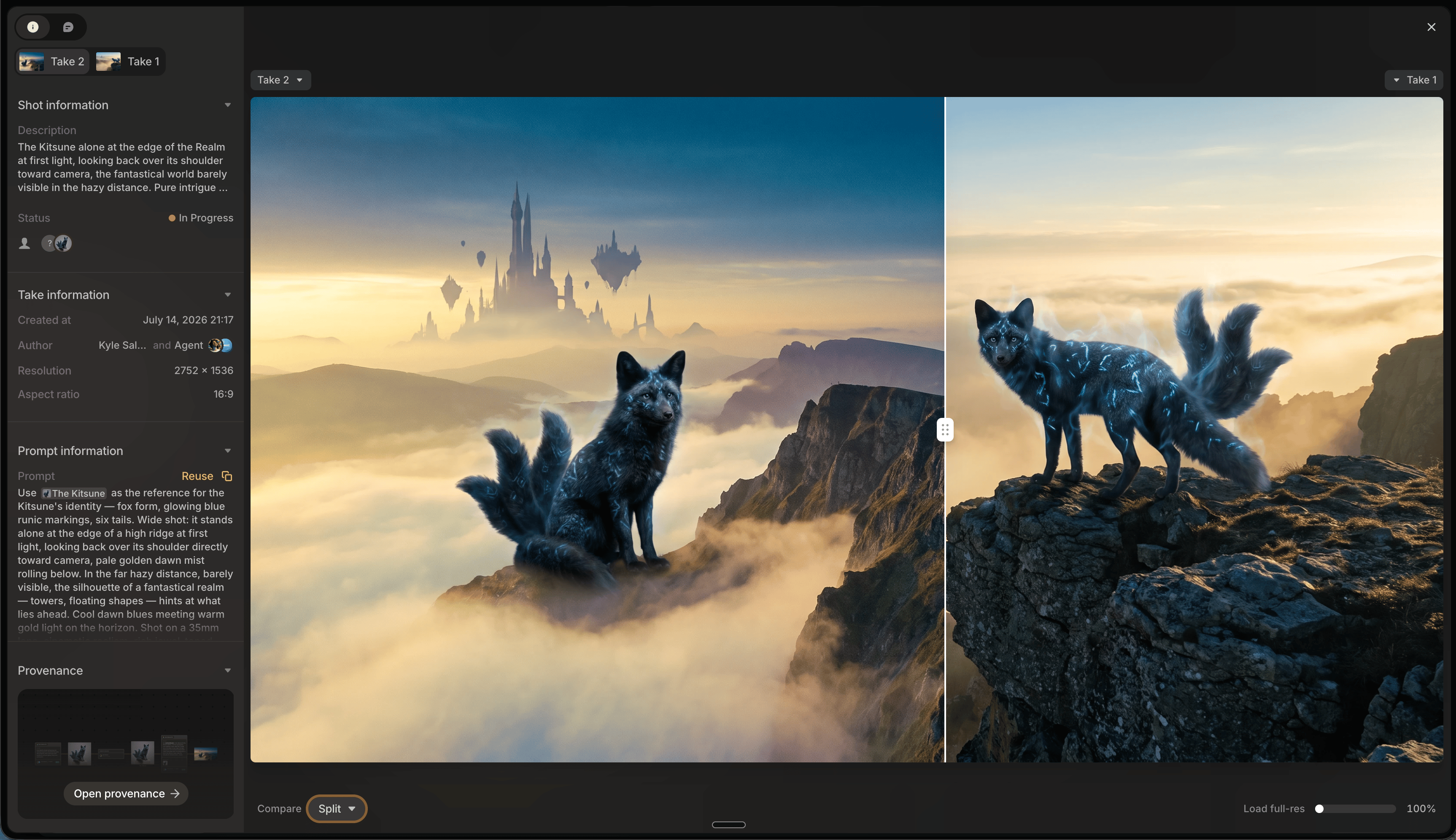
Compare images
Weigh two images against each other before deciding which one moves forward. Click Compare in the bottom bar (images only), then pick the second image via Click to pick, Choose from library, or a recently used file.- Split: both images overlaid, with a draggable divider to wipe between them.
- Fade: blend between the two with a slider.
- Side by side: both images in full, next to each other.
Act on a file
- Reuse: loads the file’s prompt, model, and settings into the prompt box.
- Copy prompt: copies just the prompt text.
- Download: downloads the file.
- Copy link: copies a shareable link to this exact file.