

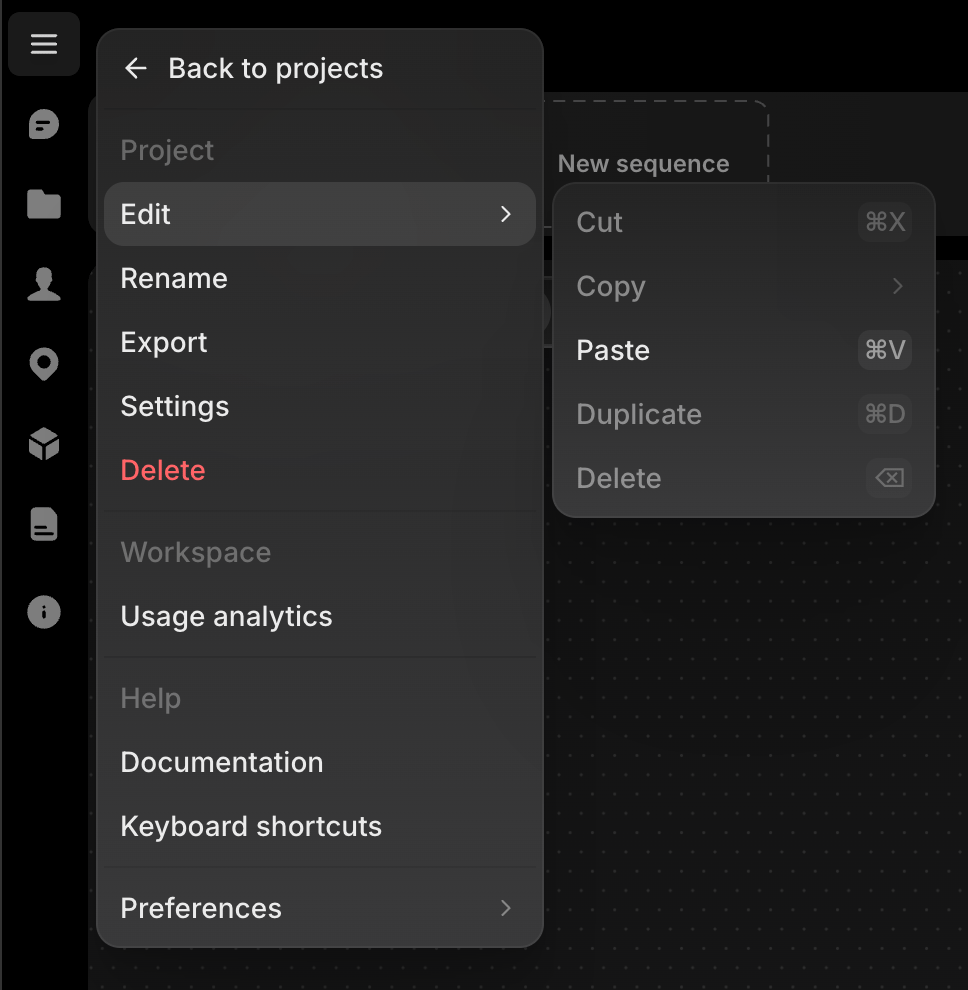
What’s in the menu
- Back to projects: back to your projects list.
- Project: Rename, Export (covered below), Settings, and Delete.
- Workspace: Usage analytics, your organization’s usage view. See Project Analytics.
- Help: Documentation (these docs) and Keyboard shortcuts.
- Preferences: toggle the Minimap.
Export
Export turns your shot list into a real editing timeline. It takes the take currently showing on each shot, across every sequence, and produces a ZIP: all the media, organized into a bin per sequence, plus an FCPXML timeline that Premiere Pro, DaVinci Resolve, and Final Cut Pro all understand. Import the XML and your shot list rebuilds itself in the editor: one video track laid out in shot order, every image and video in place, and trims carried over. A video trimmed in Preview arrives trimmed on the timeline. Alternates come in two flavors:- Selected takes: just what’s visible in the shot list. One clean track, your current cut.
- Stacked tracks: every other take saved inside each shot rides along too, stacked on higher video tracks and aligned to its shot’s position. Those tracks are disabled by default, so playback stays your main cut with the alternates one click away.
Exports every sequence in the active Shotlist. For a single sequence, use Export sequence from that sequence’s right-click menu. See Sequence Timeline.