> ## Documentation Index
> Fetch the complete documentation index at: https://docs.preview.io/llms.txt
> Use this file to discover all available pages before exploring further.
# Tags
> Color-tag files on canvas and in Files view to keep large projects organized.
Color-tag any file, on canvas or in [Files view](/preview/canvas-overview#files-view), to organize a project at a glance. Up to 10 tags per project, project-wide rather than per file.
## Add a tag
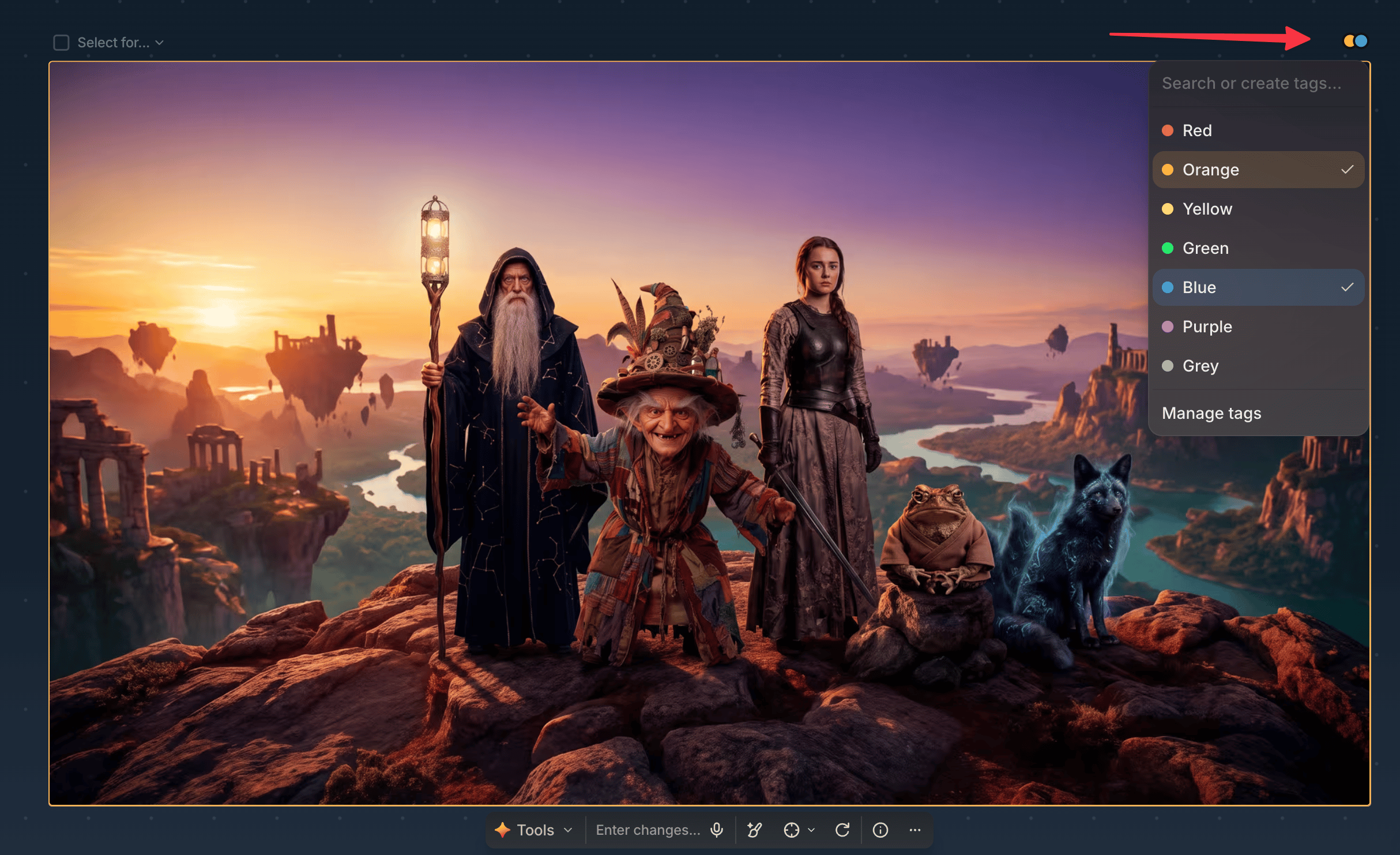
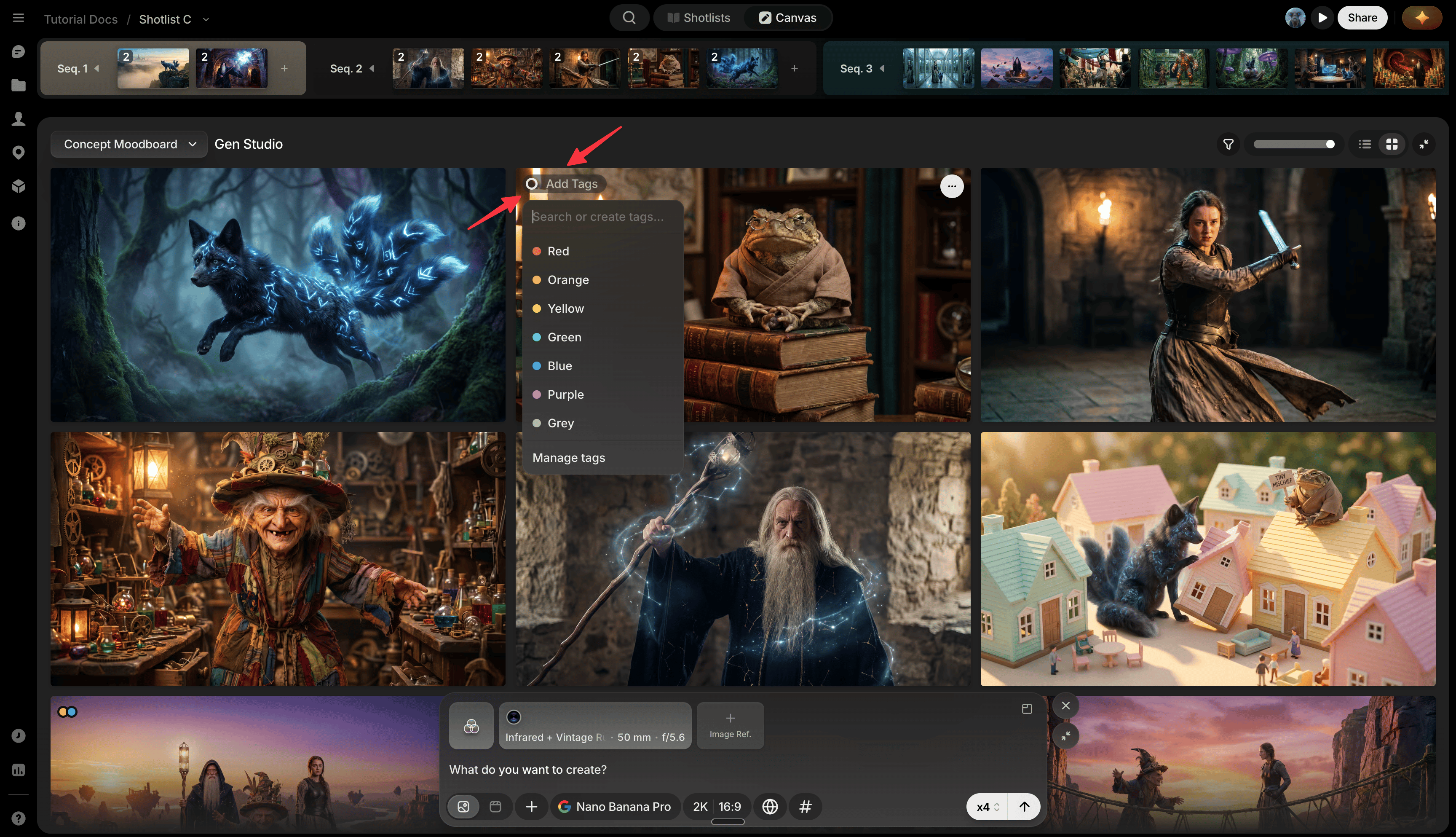
* **Canvas**: click the Add Tag circle in a file's top-right corner, or open its three-dot menu → Tag, then click a tag to add it.
 * **Files view**: the same colored dots appear in a tile's top-left corner; click one to add a tag the same way.
 ## Edit a tag
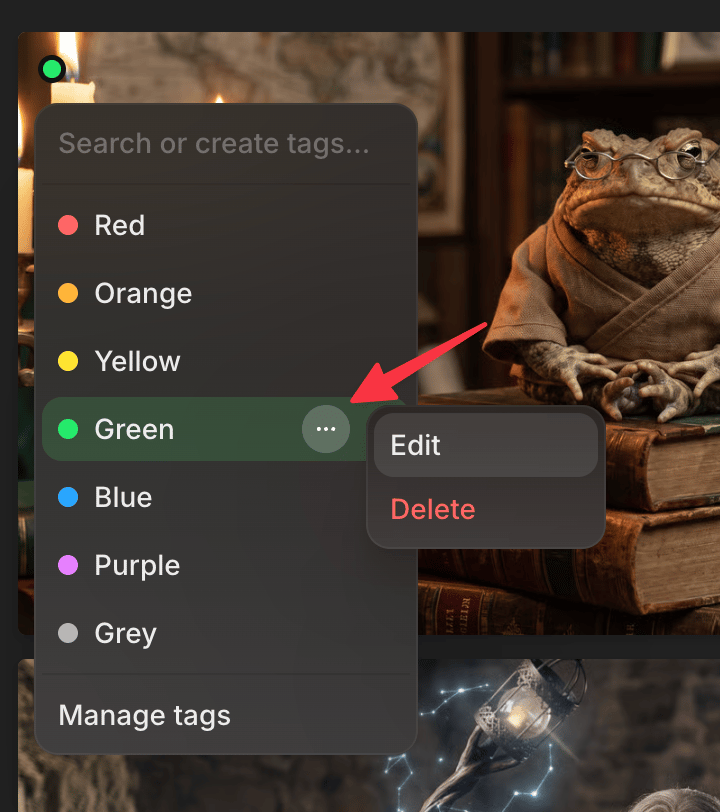
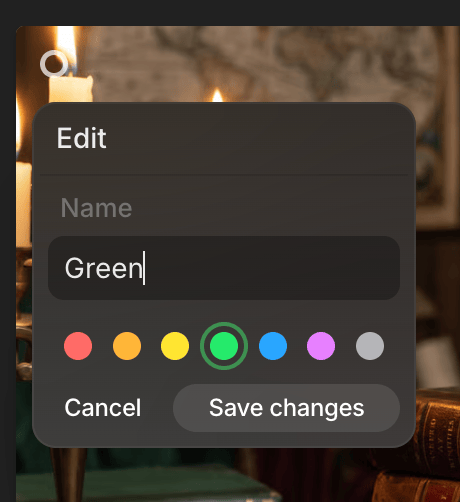
Click a tag's three-dot menu to rename, recolor, or delete it.
## Manage all tags
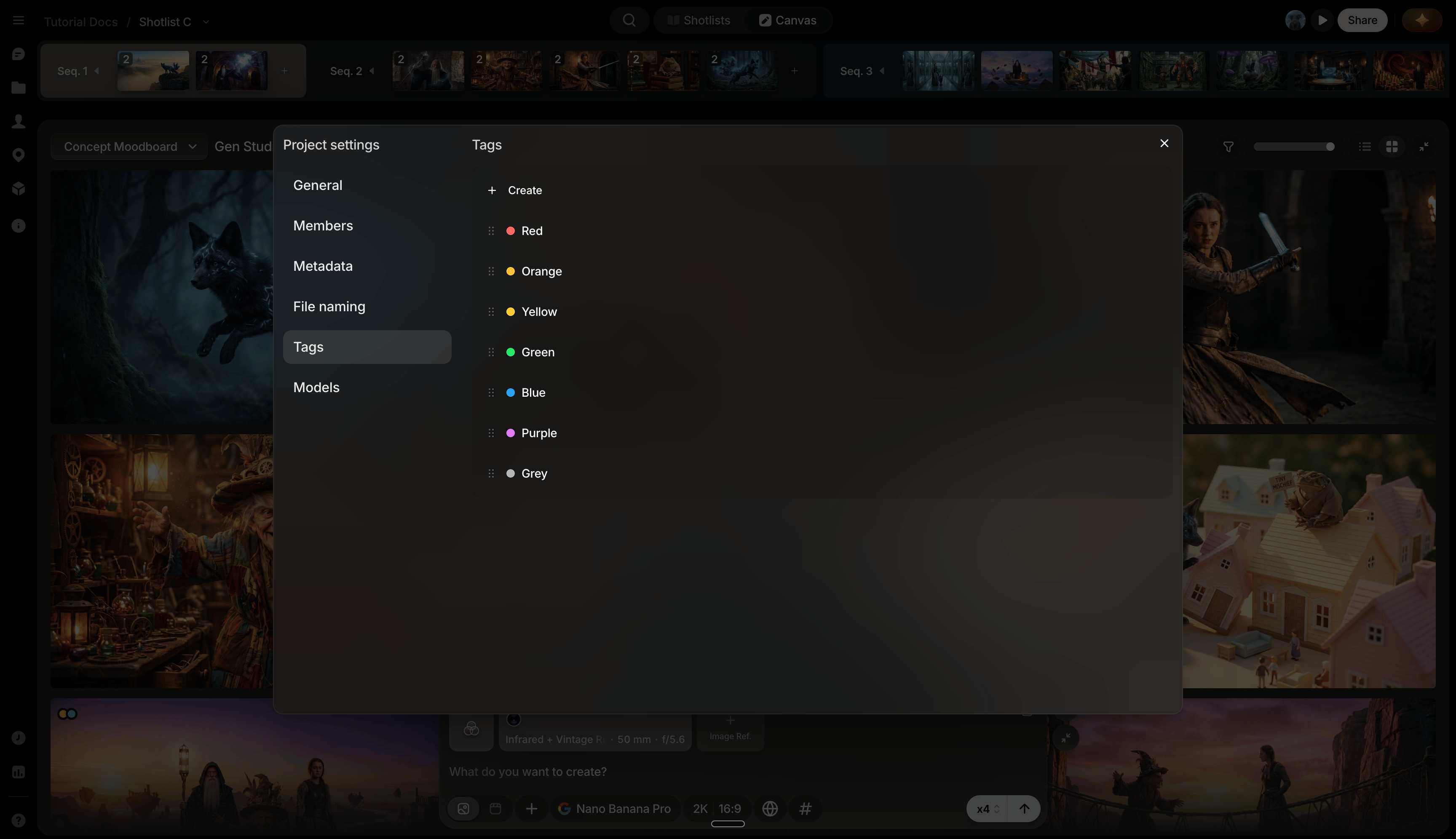
Click **Manage tags** in the Tag menu for Tag Management under [Project menu](/preview/settings-menu) → Settings → Tags: drag to reorder, rename, recolor, delete, or reset to defaults. You can also create a tag on the spot by typing a name into the picker's **Search or create tags...** field.
## Edit a tag
Click a tag's three-dot menu to rename, recolor, or delete it.
## Manage all tags
Click **Manage tags** in the Tag menu for Tag Management under [Project menu](/preview/settings-menu) → Settings → Tags: drag to reorder, rename, recolor, delete, or reset to defaults. You can also create a tag on the spot by typing a name into the picker's **Search or create tags...** field.