> ## Documentation Index
> Fetch the complete documentation index at: https://docs.preview.io/llms.txt
> Use this file to discover all available pages before exploring further.
# Credits
> How credits work in Preview, and how to buy more.
Preview runs on credits, not subscriptions: pay for what you generate, nothing more. 100 credits = \$1, and cost varies by model, resolution, duration, and output count.
## Check the cost before you generate
Every generation shows its price up front:
* **Prompt box**: hover the generate button for the credit cost of your current setup. It updates live as you change model, resolution, duration, or output count.
* **Model picker**: every model in the list shows a credit chip with its typical cost or range, so you can compare before choosing.
* **[Preview Agent](/preview/agent)**: in Ask mode (the default), every generation pauses in chat with its credit cost shown before it runs.
* **[Upscaling](/preview/upscaling)**: each provider's panel shows the cost on its generate button, updating as you adjust settings.
See [Project Analytics](/preview/project-analytics) for tracking what your team has spent across a project.
## Buy credits
Hover the Analytics button in the sidebar's lower-left to see remaining credits and a Purchase Credits button.
Click **Purchase Credits**.
Click **Checkout** to reach a Stripe payment window with a choice of payment methods.
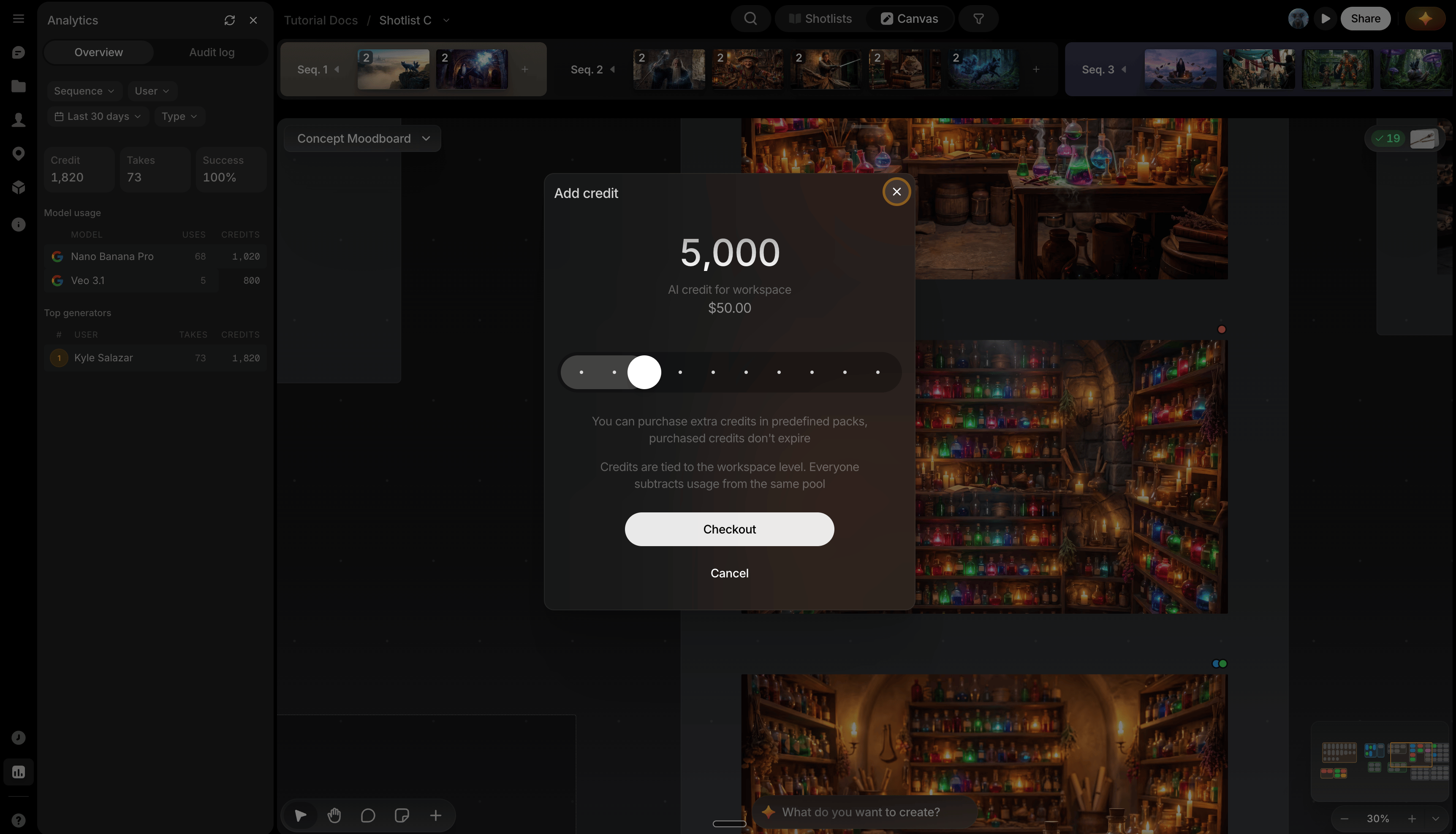 Also reach the Add credit window via **Billing** on your organization's home page.