> ## Documentation Index
> Fetch the complete documentation index at: https://docs.preview.io/llms.txt
> Use this file to discover all available pages before exploring further.
# Next Take Box
> Drag the Next Take box anywhere on canvas to control exactly where your next generation lands.
When the prompt box is open, Preview shows a **Next Take box** on canvas, a draggable target marking exactly where your next generation will land. Its shape matches your current aspect ratio and image/video settings, and its label updates live: "Next take," or "Next 3 takes" for a batch.
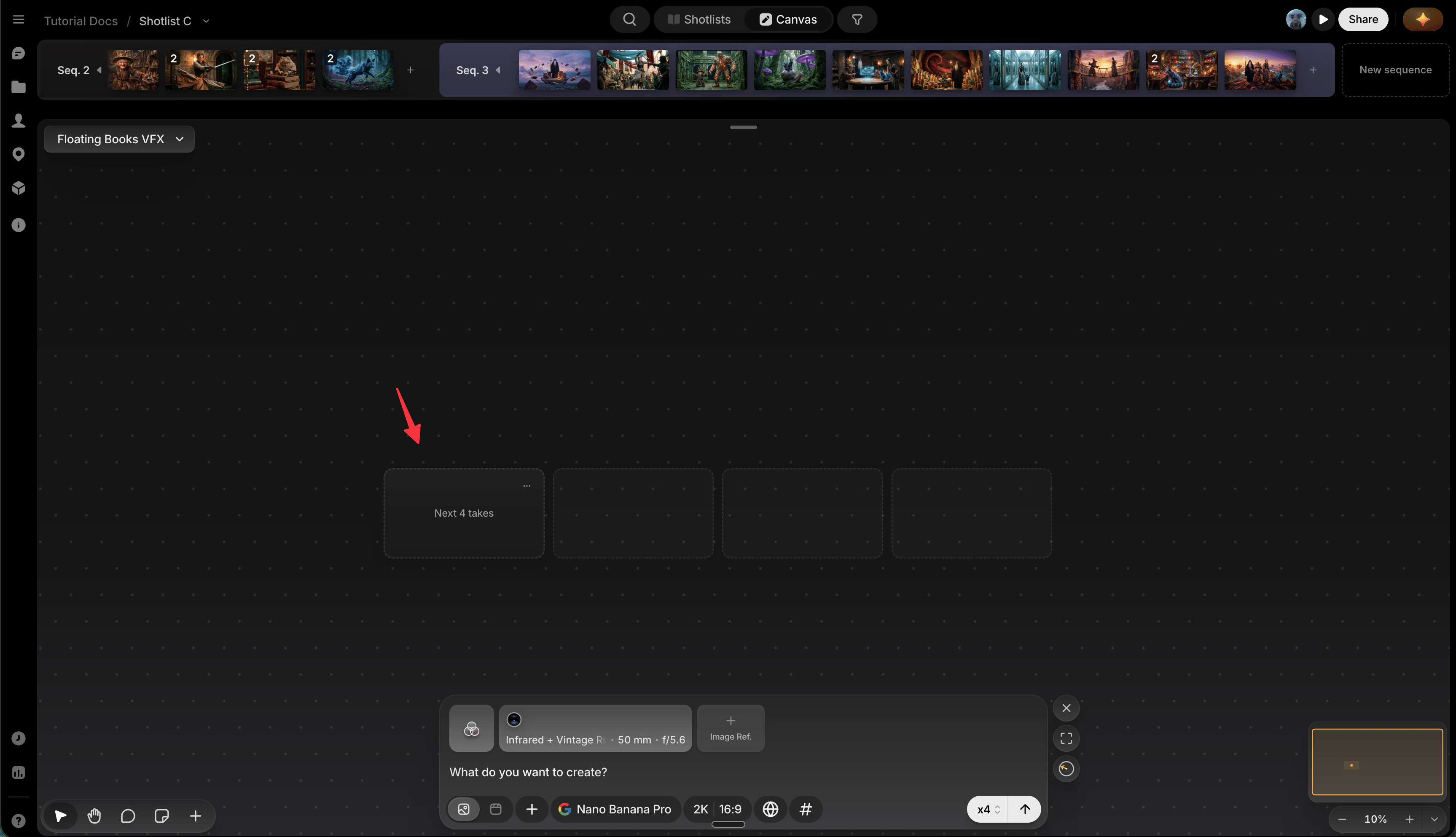 ## Move it
* **Drag it** anywhere on canvas. Its position is remembered per canvas, so it stays put until you move it again.
* **Right-click the canvas** and choose **Place next take here** for the same result without dragging.
The box only settles somewhere with room for a full row at your current Grid columns width. If where you drop it can't fit that many takes side by side, it snaps to the nearest spot below that can. Both the box and the actual generated batch land there. While you're still dragging, a fainter outline shows you that real landing spot before you let go.
## Find it when it's off-screen
A small compass icon points toward the box whenever it's off-screen: click it to jump straight there.
## Move it
* **Drag it** anywhere on canvas. Its position is remembered per canvas, so it stays put until you move it again.
* **Right-click the canvas** and choose **Place next take here** for the same result without dragging.
The box only settles somewhere with room for a full row at your current Grid columns width. If where you drop it can't fit that many takes side by side, it snaps to the nearest spot below that can. Both the box and the actual generated batch land there. While you're still dragging, a fainter outline shows you that real landing spot before you let go.
## Find it when it's off-screen
A small compass icon points toward the box whenever it's off-screen: click it to jump straight there.
 ## Preferences
Click the box's **⋯** button to open **Preferences**:
* **Camera follow**: automatically centers your view on new generations as they land.
* **Grid columns**: how many columns a multi-take batch tiles into at the target (1–8), before wrapping to a new row.
## Generating into a group
The box disappears while a [Group](/preview/groups) is your active generation target. The compass points at the group instead, and the group shows its own placeholder cells for where each take will land inside it.
## Preferences
Click the box's **⋯** button to open **Preferences**:
* **Camera follow**: automatically centers your view on new generations as they land.
* **Grid columns**: how many columns a multi-take batch tiles into at the target (1–8), before wrapping to a new row.
## Generating into a group
The box disappears while a [Group](/preview/groups) is your active generation target. The compass points at the group instead, and the group shows its own placeholder cells for where each take will land inside it.