> ## Documentation Index
> Fetch the complete documentation index at: https://docs.preview.io/llms.txt
> Use this file to discover all available pages before exploring further.
# History
> Every file ever created or imported in the project, always browsable, filterable, and restorable to canvas.
## What it's for
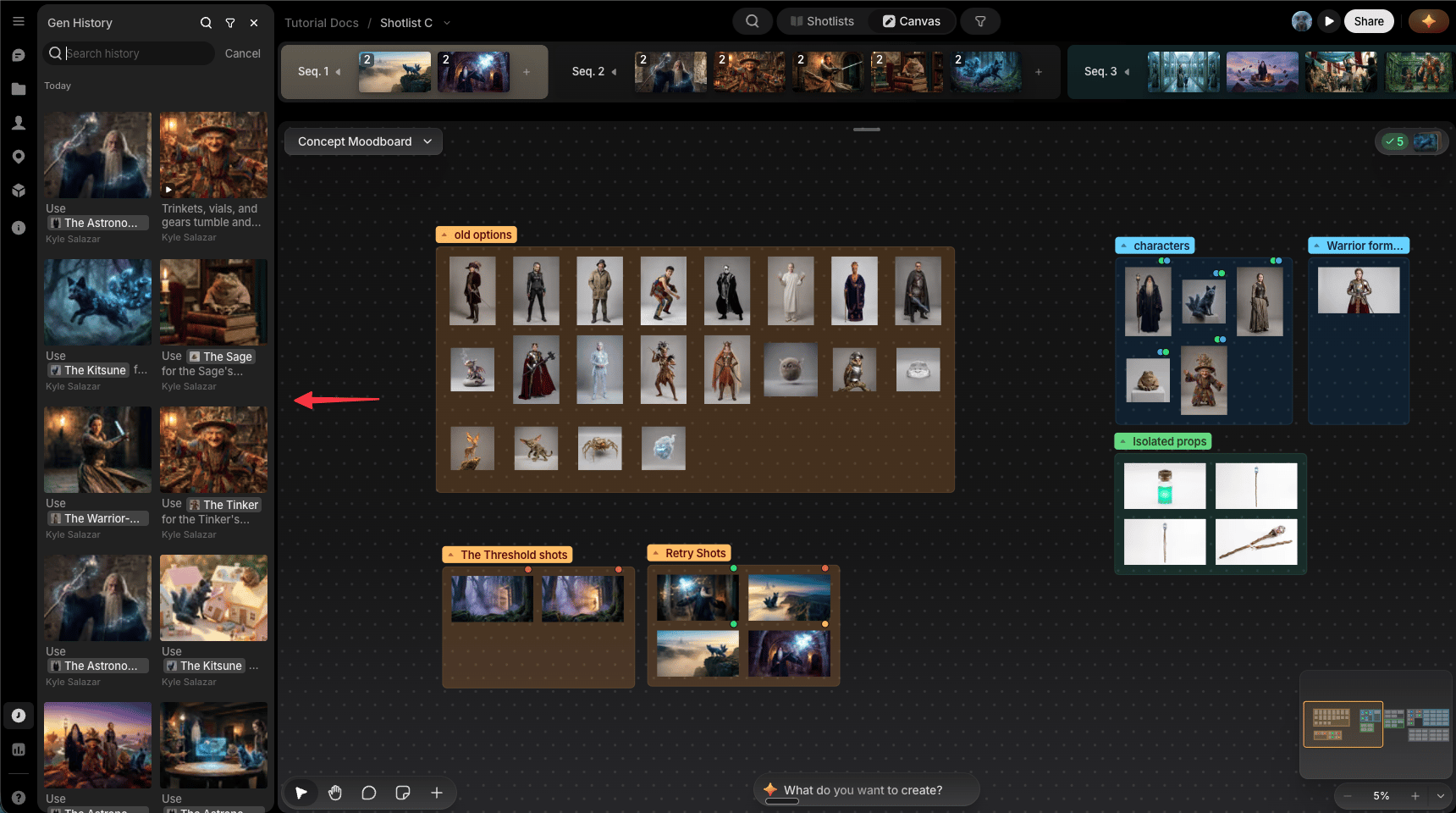
The History sidebar is a running record of every file in the project: every generation, every upload, every 3D world, whether or not it's currently placed on a canvas. It's in the app sidebar, not the canvas surface itself.
 ## How it works
* **Everything shows up here**: every file ever created or imported, across the whole project, not just the canvas you're currently on. This is also the only place that includes 3D worlds.
* **Filter**: narrow the list by who created each file.
* **Drag onto canvas**: drag any file from History straight onto a canvas to bring it back.
## Why it's valuable
Nothing's ever really lost. Delete a file from a canvas and it stays in History; drag it back onto any canvas whenever you need it. That makes it safe to keep a canvas clean and uncluttered, since removing something from view is never the same as deleting it for good.
## When to use it
* You deleted something from a canvas and want it back.
* You're looking for a file made earlier in the project that isn't on the canvas you're currently viewing.
* You need something from outside the current Shotlist. [Gen Studio](/preview/gen-studio) only shows generations from the current Shotlist; History covers the whole project.
## How it works
* **Everything shows up here**: every file ever created or imported, across the whole project, not just the canvas you're currently on. This is also the only place that includes 3D worlds.
* **Filter**: narrow the list by who created each file.
* **Drag onto canvas**: drag any file from History straight onto a canvas to bring it back.
## Why it's valuable
Nothing's ever really lost. Delete a file from a canvas and it stays in History; drag it back onto any canvas whenever you need it. That makes it safe to keep a canvas clean and uncluttered, since removing something from view is never the same as deleting it for good.
## When to use it
* You deleted something from a canvas and want it back.
* You're looking for a file made earlier in the project that isn't on the canvas you're currently viewing.
* You need something from outside the current Shotlist. [Gen Studio](/preview/gen-studio) only shows generations from the current Shotlist; History covers the whole project.