> ## Documentation Index
> Fetch the complete documentation index at: https://docs.preview.io/llms.txt
> Use this file to discover all available pages before exploring further.
# Referencing with @
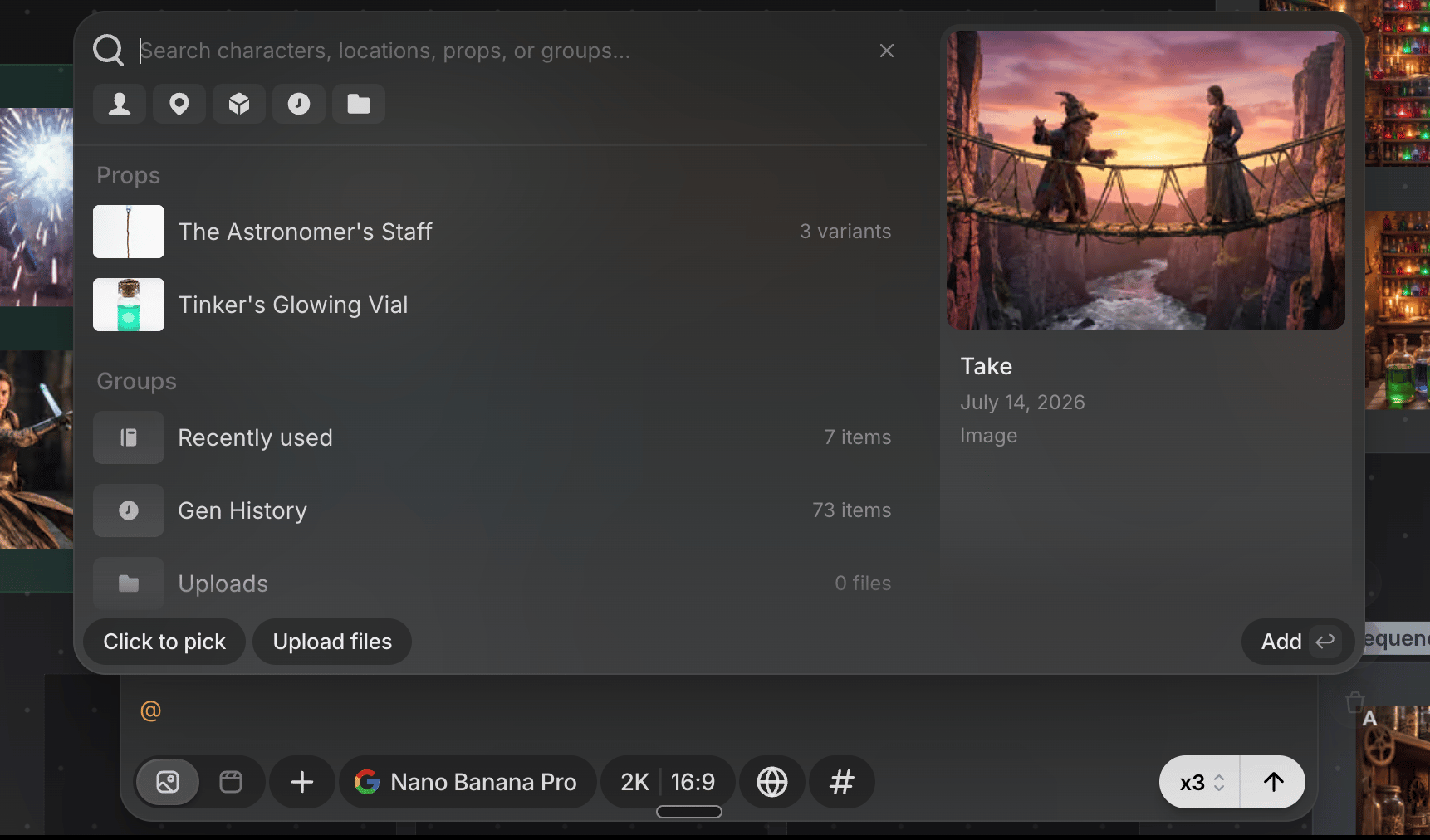
> Type @ in the prompt box or Preview Agent to pull in library items, past generations, uploads, and recently used references.
Type `@` in the prompt box or a Preview Agent message to open the same reference menu in both places.
## What you can reference
* **Recently used**: your last few references, for quick reuse.
* **Characters, Locations, Props**: your library by category, each showing its item count. Type after `@` to search by name, or click a category to browse directly. An item with multiple [variations](/preview/project-library) or images shows a count; click through to pick one instead of the default. Only files saved to your [project library](/preview/project-library) show up here: save a Character, Location, or Prop first, then reference it by name.
* **Gen History**: every file generated in this story. Search by description (subject, color, style), not just exact name.
* **Uploads**: project files outside any library category.
Only saved library items, uploads, and finished generations can be referenced this way, not items still generating or unsaved on the canvas.
 ## After you pick
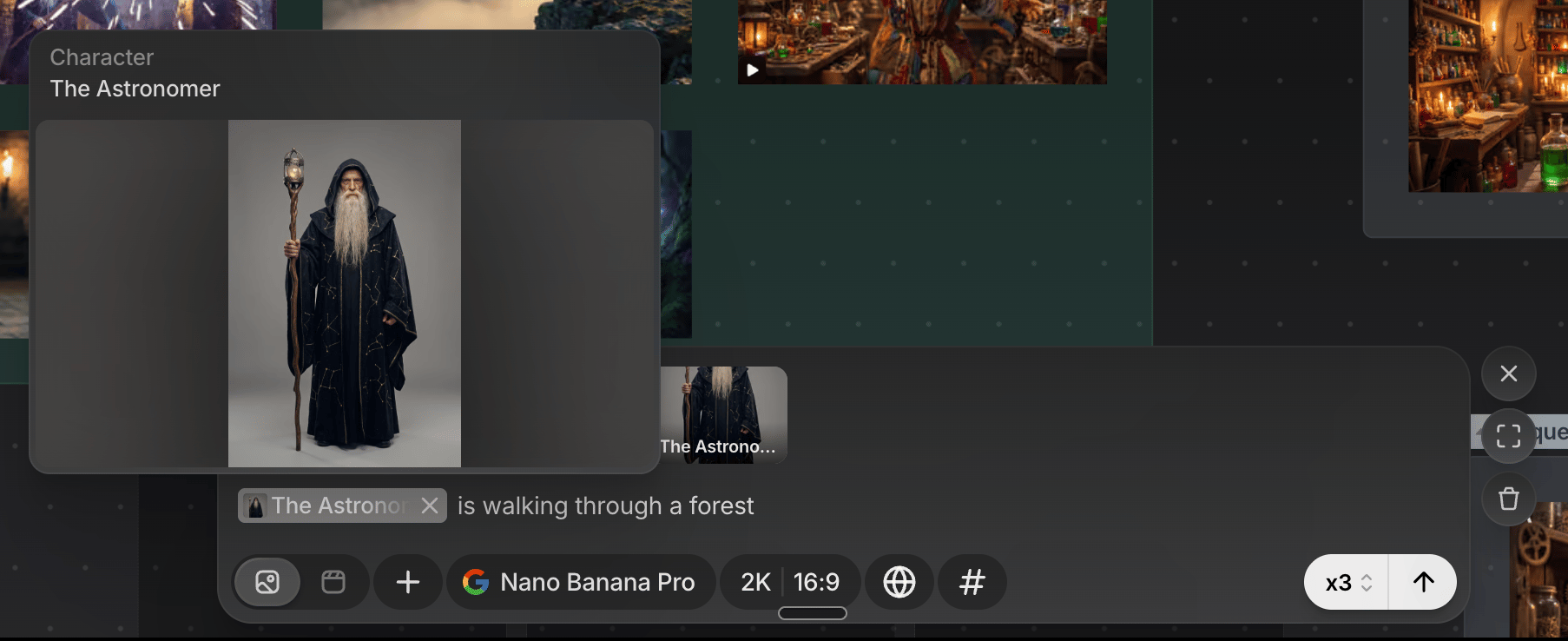
The reference appears as a chip in your text. Right-click it to **Replace** with something else, or **Remove**.
## After you pick
The reference appears as a chip in your text. Right-click it to **Replace** with something else, or **Remove**.
 The prompt box also has **Click to pick**, to reference directly from the canvas instead of the menu; it enforces each model's reference limit too. Preview Agent's chat has a simpler **+** attach button (Assets, Characters, Locations, Props, Upload) as a flatter alternative alongside the same `@` menu.
## Keyboard shortcuts
Arrow keys move through the list, → drills into a category or variation, ← backs out, Enter picks, and Escape closes the menu. Press Escape twice with an active search or filter.
Recently used references are shared across the prompt box, Preview Agent, and the whole project: pick something once to reuse it anywhere.
The prompt box also has **Click to pick**, to reference directly from the canvas instead of the menu; it enforces each model's reference limit too. Preview Agent's chat has a simpler **+** attach button (Assets, Characters, Locations, Props, Upload) as a flatter alternative alongside the same `@` menu.
## Keyboard shortcuts
Arrow keys move through the list, → drills into a category or variation, ← backs out, Enter picks, and Escape closes the menu. Press Escape twice with an active search or filter.
Recently used references are shared across the prompt box, Preview Agent, and the whole project: pick something once to reuse it anywhere.